Switch 2 Backward Compatibility and ‘Switch 2 Edition’ Games Explained
Which Switch games work on Switch 2, what free updates and paid Switch 2 Edition upgrades add, and the compatibility caveats worth knowing as of 2026.
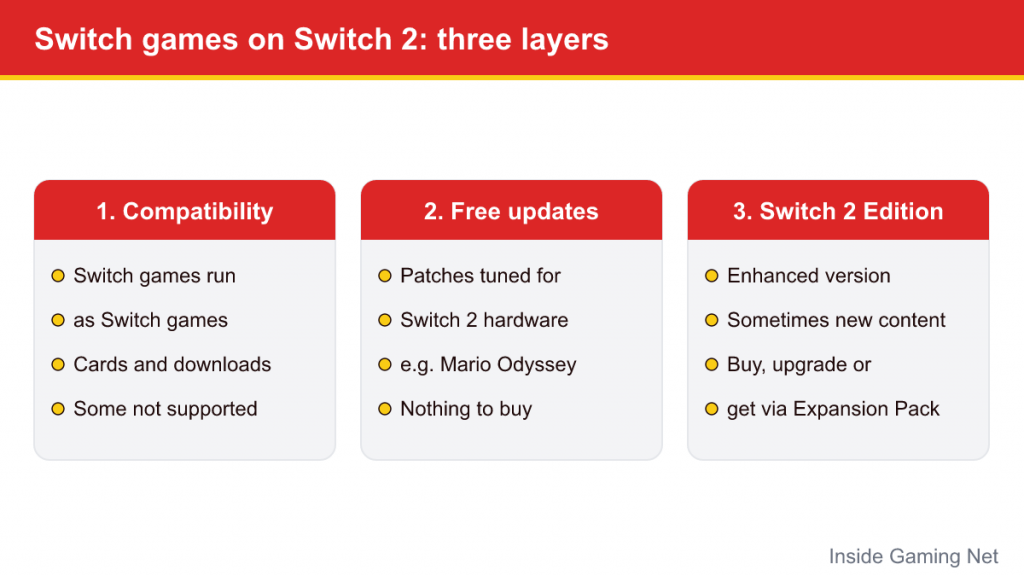
Upgrading consoles usually means starting a library from scratch. Nintendo Switch 2 is different: the large majority of original Switch games, on cartridge or downloaded, run on the new hardware. But “most” is not “all,” and the picture is complicated by three separate layers that are easy to mix up: plain backward compatibility, free performance patches, and paid or bundled Nintendo Switch 2 Edition versions.
This guide separates those layers, lists the first-party Switch 2 Editions released through 2026, and explains the caveats that catch people out, from motion-control games to old docks. Details are current as of October 2026; Nintendo continues to update its compatibility information, so a game’s official page is always the final word. For the broader hardware comparison, see our Switch vs Switch 2 differences guide.
Layer One: Plain Backward Compatibility
Nintendo’s position is that Switch 2 can play compatible physical and digital Nintendo Switch games, with the caveat that “some Nintendo Switch games may not be supported on or fully compatible with Nintendo Switch 2” because the hardware differs. In practice, this works the way most players hope it would:
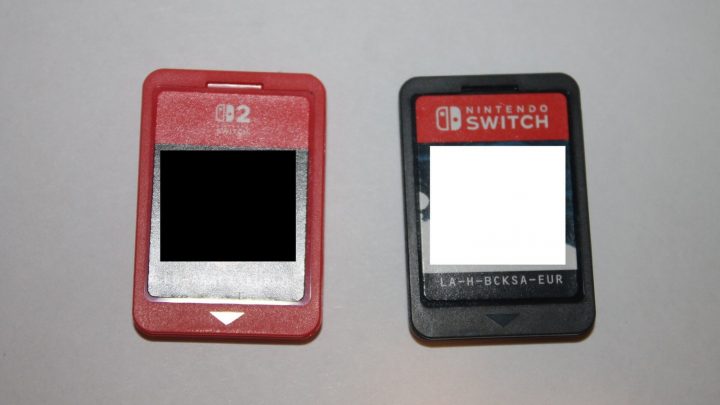
- Physical Switch cartridges go into the Switch 2’s card slot and run.
- Digital purchases made on your Nintendo Account can be downloaded on Switch 2, and appear as Virtual Game Cards like any other digital game.
- Save data comes across when you perform a system transfer from your old console, or through Nintendo Switch Online cloud saves for games that support them.
When an untouched Switch game runs on Switch 2, it runs as a Switch game. It does not suddenly get new graphics or new content. What it can get is more stable performance: games that had dynamic resolution or an unlocked frame rate on the original hardware may hold closer to their targets on the more powerful system. How much difference you see varies game by game, and some titles look and play exactly the same.
Handheld Mode Boost
One system-level option changes this somewhat. Switch 2 system update 22.0.0, released in March 2026, added Handheld Mode Boost. When enabled (under System Settings, then System, then Nintendo Switch Software Handling), original Switch games played in handheld or tabletop mode run as if they were docked, which typically means a higher resolution than their handheld target. Nintendo notes that because games behave as if docked, certain functionality may be affected; coverage of the update points to higher battery drain and touch input that may stop working in games that use it. Some games show little or no change, and not every title supports it.
Games With Known Problems
Nintendo publishes a compatibility page that sorts problem titles into categories. Its main list was dated as current to the Switch 2 launch on June 5, 2025, with separate documents tracking games whose issues have since been fixed or are scheduled to be fixed through updates. The categories are:
- Cannot be used on Switch 2. This includes a handful of video and reading apps and, notably, Nintendo Labo Toy-Con 04: VR Kit, because the Switch 2 console physically does not fit the cardboard VR goggles.
- Issues that prevent starting or progressing. Some third-party games failed to boot or broke at certain points at launch. Many publishers have patched their games since, so check the current status before assuming a game is affected.
- Partial functionality or slower start. Some games may take longer to become playable, or may have specific features that do not work correctly.
Nintendo’s own first-party catalogue has very few problems; the problem lists are dominated by third-party software. If a particular third-party game matters to you, the most reliable check is its page on Nintendo’s site or the publisher’s support channels.
Games that need original Joy-Con
The most common real-world snag involves controllers rather than software. Joy-Con 2 controllers differ physically from the originals (they attach magnetically and lack some features older games relied on), so Nintendo lists several games that require original Switch Joy-Con, connected wirelessly:
| Game | Why it needs original Joy-Con |
|---|---|
| Ring Fit Adventure | Joy-Con 2 cannot attach to the Ring-Con or the Leg Strap |
| 1-2-Switch | Relies on features of the original Joy-Con |
| Everybody 1-2-Switch! | Relies on features of the original Joy-Con |
| Game Builder Garage | Relies on features of the original Joy-Con |
| Nintendo Switch Sports | Only Soccer Shoot-Out (which uses the Leg Strap) is affected |
| WarioWare: Move It! | Relies on features of the original Joy-Con |
The good news is that original Joy-Con pair wirelessly with Switch 2, so a family that already owns them can keep playing these games. The catch: original Joy-Con cannot attach to the Switch 2 console, so they have to be charged on an original Switch, a compatible charging grip or a charging stand. Labo Toy-Con 01, 02 and 03 kits run, but Nintendo notes accessory limitations mean the experience differs from the original.
Layer Two: Free Updates
Some Switch games received free patches that make better use of Switch 2 hardware without adding new content. Super Mario Odyssey and Pokémon Scarlet and Violet are the most prominent first-party examples, receiving performance-focused updates for Switch 2. Third-party publishers have done the same for some of their games.
These updates download like any other patch. You do not buy anything, you do not get a new box or a separate icon, and the improvements only apply when the game runs on Switch 2. The same game on an original Switch keeps playing as before.
Layer Three: Nintendo Switch 2 Edition
A Nintendo Switch 2 Edition is a Switch game that has been enhanced specifically for the new hardware, often with new content alongside technical upgrades. The improvements vary per game but can include higher resolution, higher frame rates, shorter loading times, Joy-Con 2 mouse controls and other Switch 2-only features, plus in some cases new modes, stories or areas.
There are three ways to end up with one:
- Buy the Switch 2 Edition outright. Nintendo’s physical Switch 2 Edition releases include the original game and the upgrade together on a single Switch 2 game card. Some third-party publishers instead ship download codes or Game-Key Cards in the box; the differences are covered in our Game-Key Cards explainer.
- Buy an upgrade pack. If you already own the Switch version, physical or digital, you can buy just the upgrade pack from the eShop or retailers rather than rebuying the game.
- Get it through a subscription. As of October 2026, Nintendo lists the Switch 2 Edition upgrade packs for The Legend of Zelda: Breath of the Wild and Tears of the Kingdom as included with Nintendo Switch Online + Expansion Pack, provided you own the base game and keep the membership active. The tier differences are explained in our Nintendo Switch Online plans guide.
An upgrade pack only does anything on Switch 2. For digital copies, Nintendo’s Virtual Game Cards rules state that Switch 2 Edition games can only be loaded on a Switch 2 system, so the enhanced version stays on the new hardware.
First-Party Switch 2 Editions So Far
Nintendo has released Switch 2 Editions of several of its biggest Switch games, plus a couple of new releases that launched in both versions at once. The first-party list as of October 2026:
| Game | Switch 2 Edition released | What it adds |
|---|---|---|
| The Legend of Zelda: Breath of the Wild | June 5, 2025 | Visual and performance upgrades, plus Zelda Notes app features |
| The Legend of Zelda: Tears of the Kingdom | June 5, 2025 | Visual and performance upgrades, plus Zelda Notes app features |
| Super Mario Party Jamboree | July 24, 2025 | Jamboree TV, new modes using mouse controls, microphone and camera |
| Kirby and the Forgotten Land | August 28, 2025 | Star-Crossed World, a new story, plus a higher frame rate |
| Pokémon Legends: Z-A | October 16, 2025 (launch) | Released in Switch and Switch 2 Edition versions simultaneously |
| Metroid Prime 4: Beyond | December 4, 2025 (launch) | Mouse controls and up to 4K output in TV mode |
| Animal Crossing: New Horizons | January 15, 2026 | Higher resolution, mouse controls and microphone features; launched alongside the free version 3.0 update |
| Super Mario Bros. Wonder | March 26, 2026 | Meetup in Bellabel Park, with new multiplayer content and Rosalina playable |
Third-party publishers have released their own Switch 2 Editions as well; Hello Kitty Island Adventure’s arrived in November 2025, for example. The naming is consistent across publishers, so look for “Nintendo Switch 2 Edition” in the title on the eShop.
Accessories and Hardware Caveats
Software is only half of backward compatibility. Several original Switch accessories do not carry over, according to Nintendo’s accessory compatibility page:
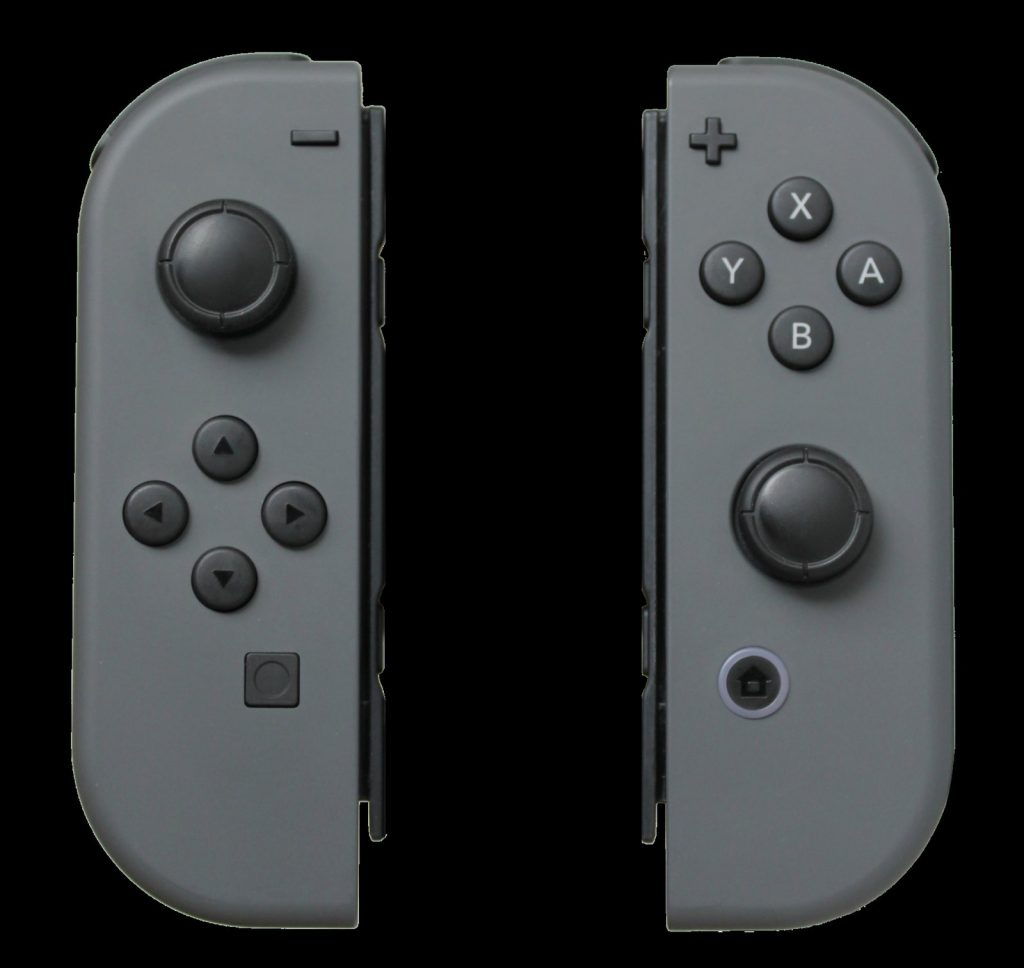
- Controllers that work: original Joy-Con and the Switch Pro Controller pair wirelessly. Nintendo’s NES, SNES, N64 and Sega Genesis controllers for Switch Online work with compatible games.
- Docks: the original Nintendo Switch Dock is not compatible with Switch 2. Neither is the original AC adapter for TV mode (it can still charge the console when plugged in directly), and Nintendo recommends the HDMI cable included with Switch 2.
- Joy-Con accessories: the original grip, charging grip, straps, Joy-Con Wheel and similar accessories do not fit Joy-Con 2.
- Storage: Switch 2 game storage requires microSD Express cards. Older standard microSD cards from a Switch can only be used to view screenshots and videos captured on Switch.
Before You Buy or Upgrade: A Quick Checklist
A few habits avoid nearly every surprise:
- Check the game’s page. Nintendo advises checking each game’s listing before buying a Switch game to play on Switch 2. Third-party patches have fixed many launch-era issues, so old lists may be outdated.
- Keep your original Joy-Con. If anyone in the house plays Ring Fit Adventure, 1-2-Switch or similar games, the old controllers still matter.
- Do not rebuy what you can upgrade. If you already own the Switch version, an upgrade pack is the way to reach the Switch 2 Edition. Check whether Expansion Pack already covers it before paying.
- Think about who plays where. A digital Switch 2 Edition can only be loaded on a Switch 2, while the plain Switch version can move between both console generations.
- Look for free patches. Make sure games are fully updated; a free Switch 2 performance update may already be waiting.
The short version: almost everything from the Switch era comes along for the ride, the best-known Nintendo games have optional upgrades, and the exceptions mostly involve motion-control accessories and a small set of third-party titles.