Nintendo Switch Online Plans Explained: Standard vs Expansion Pack
What Nintendo Switch Online and the Expansion Pack include as of 2026: online play, cloud saves, classic libraries, GameCube on Switch 2, DLC and family plans.
Nintendo Switch Online is Nintendo’s paid subscription service, and for many players it quietly becomes essential within the first few weeks of owning a Switch or Switch 2. It controls access to online multiplayer, cloud backups of save data and a growing collection of classic games. On top of the standard plan sits a pricier tier called Nintendo Switch Online + Expansion Pack, which adds more classic consoles and some downloadable content. This guide explains what each tier includes as of 2026, how individual and family memberships work, and how to decide whether you need either one.
Do You Need Nintendo Switch Online at All?
You do not need a subscription to use a Switch or Switch 2. Single-player games, local multiplayer on one console and the eShop all work without it. Free-to-play online games such as Fortnite are also an exception to the rule and can be played online without a membership.
You will need a membership if you want to:
- Play most paid games online with or against other people, from Mario Kart to Splatoon to Pokémon trades and battles.
- Back up save data to Nintendo’s servers in supported games.
- Use GameChat on Switch 2 (more on that below).
- Play the Nintendo Classics libraries of older games.
If your household plays mostly offline adventures, you can reasonably skip it. Once someone wants to race friends online or protect a 100-hour save file, it becomes hard to avoid.
What the Standard Plan Includes
The base tier, simply called Nintendo Switch Online, includes the following as of 2026:
- Online play in compatible games.
- Save Data Cloud, which automatically backs up save data for supported games.
- GameChat on Nintendo Switch 2, the voice, video and screen-sharing feature opened with the C button.
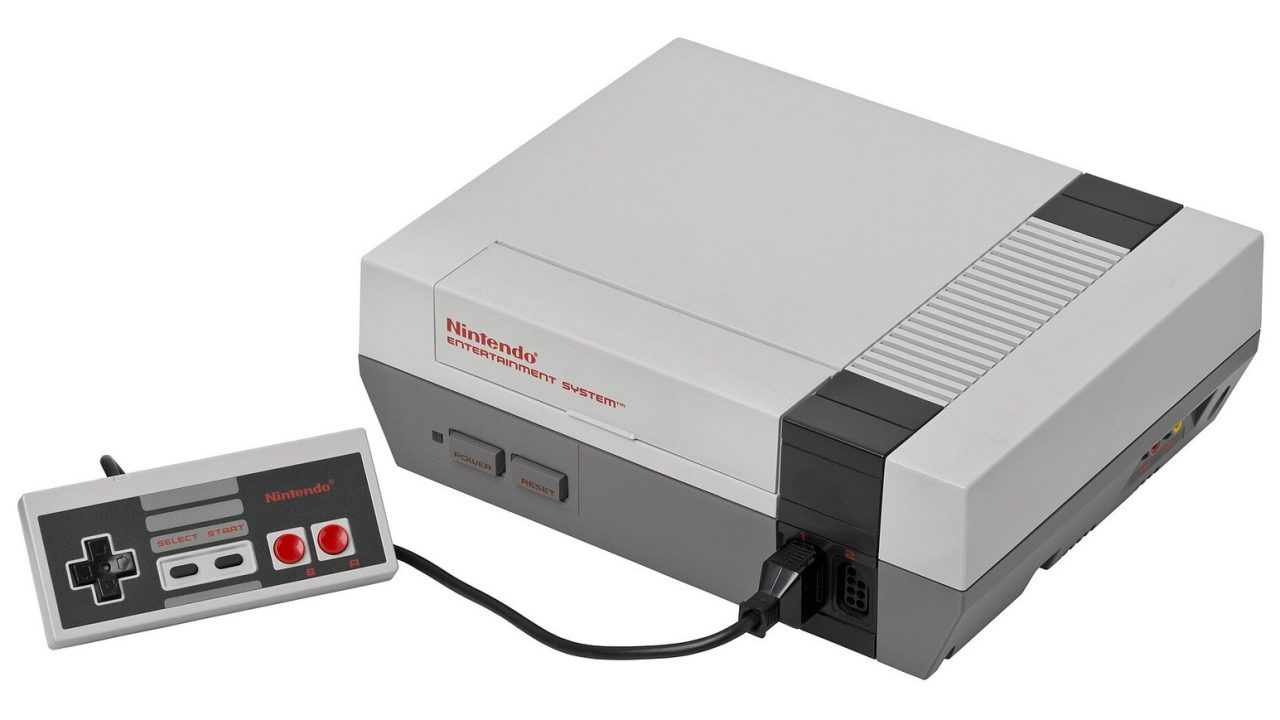
- Nintendo Classics libraries for NES, Super NES and Game Boy games.
- Nintendo Music, a smartphone app for listening to soundtracks from Nintendo games.
- Special offers, such as member-only in-game items and occasional rewards.
A note on cloud saves
Save Data Cloud is not universal. Some games opt out, usually to prevent players from restoring an older save to duplicate items or undo trades. Several Pokémon games are well-known examples. Animal Crossing: New Horizons also does not use the standard cloud save; instead it has its own island backup service for members. Before relying on the cloud for a specific game, check that game’s page on the eShop or Nintendo’s support site.
GameChat and the membership
When Switch 2 launched in June 2025, Nintendo let everyone try GameChat free for an introductory period that ran until March 31, 2026. From April 2026 onward, GameChat requires a paid Nintendo Switch Online membership. Families should also know that children under 16 need parental approval through the Nintendo Switch Parental Controls app to use it.
What Expansion Pack Adds
Nintendo Switch Online + Expansion Pack includes everything in the standard tier, plus several extras. As of 2026 these fall into three groups.
More classic consoles
Expansion Pack members get access to additional Nintendo Classics libraries:
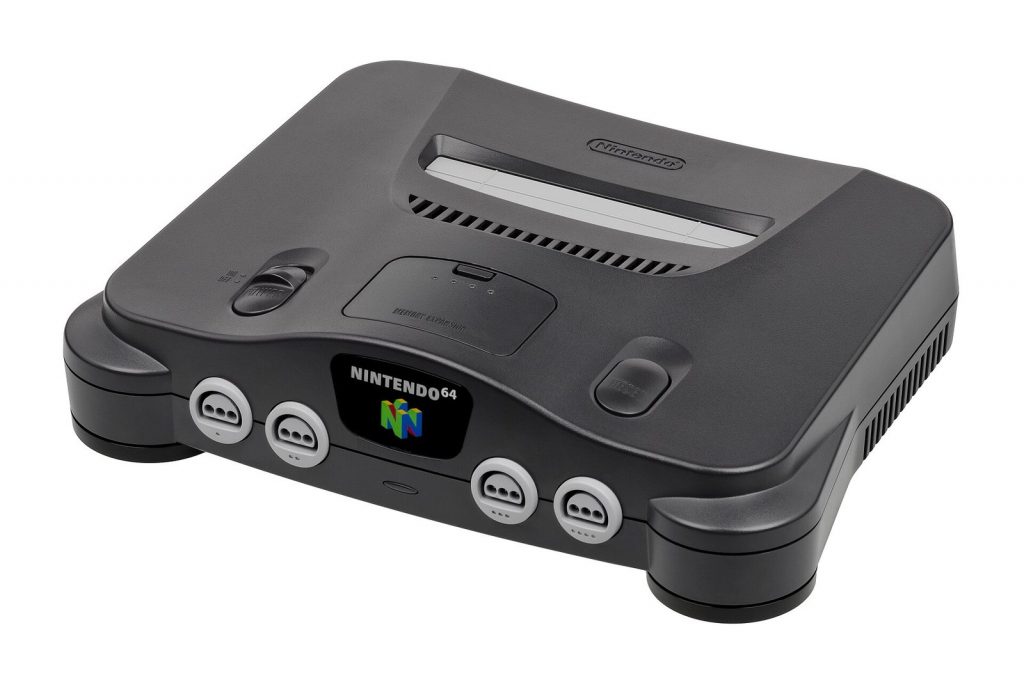
- Nintendo 64, home of Super Mario 64, The Legend of Zelda: Ocarina of Time and many more.
- Game Boy Advance, including several Zelda, Mario and Kirby titles.
- SEGA Genesis (Mega Drive), with games such as Sonic the Hedgehog 2 and Gunstar Heroes.
- Virtual Boy, added in February 2026. To view these games in stereoscopic 3D you need a separately sold Virtual Boy-style accessory, offered in a plastic and a cardboard version.
- Nintendo GameCube, available only on Nintendo Switch 2. Titles include The Legend of Zelda: The Wind Waker, F-Zero GX and SoulCalibur II, with more added over time; Pokémon XD: Gale of Darkness was announced for the library in February 2026.
Included DLC
Members can access selected downloadable content at no extra cost, as long as they own the base game and their membership stays active:
- Mario Kart 8 Deluxe – Booster Course Pass
- Animal Crossing: New Horizons – Happy Home Paradise
- Splatoon 2 – Octo Expansion
Switch 2 upgrade packs
Expansion Pack also includes the upgrade packs that turn The Legend of Zelda: Breath of the Wild and The Legend of Zelda: Tears of the Kingdom into their Nintendo Switch 2 Editions. You still need to own each game. These upgrades, like the DLC, are only available while the membership is active; if it lapses, access pauses until you renew.
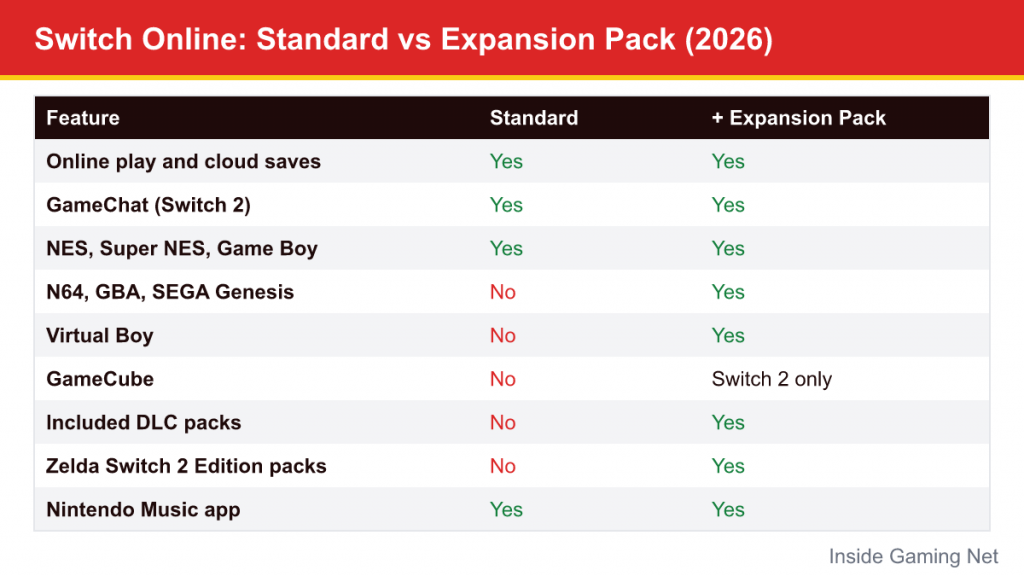
Standard vs Expansion Pack Side by Side
| Feature (as of 2026) | Nintendo Switch Online | + Expansion Pack |
|---|---|---|
| Online play | Yes | Yes |
| Save Data Cloud | Yes | Yes |
| GameChat (Switch 2) | Yes | Yes |
| NES, Super NES, Game Boy | Yes | Yes |
| Nintendo 64, Game Boy Advance, SEGA Genesis | No | Yes |
| Virtual Boy | No | Yes (3D accessory sold separately) |
| GameCube | No | Yes, Switch 2 only |
| Included DLC (Booster Course Pass, Happy Home Paradise, Octo Expansion) | No | Yes, base game required |
| Zelda BOTW/TOTK Switch 2 Edition upgrade packs | No | Yes, base game required |
| Nintendo Music app | Yes | Yes |
Individual vs Family Memberships
Both tiers come in two forms. An individual membership covers one Nintendo Account. A family membership covers up to eight Nintendo Accounts within the same family group, and those accounts can be used on different consoles. You pick the tier first and then individual or family.
The family option usually becomes the better value as soon as two or more people in a household want online play, especially if they play on separate systems. It also covers relatives outside your home, since the family group is based on Nintendo Accounts rather than a physical address, although everyone in the group shares some account-level visibility, so it is best kept to people you trust.
Nintendo changes prices from time to time and they differ by region, so check the current figures on Nintendo’s official site before you buy. The standard individual plan has historically been sold in shorter terms as well as yearly, while Expansion Pack and family plans are yearly; the yearly options are the most economical.
How the Classic Libraries Work
The Nintendo Classics games are not purchases. They are a rotating, growing library that you can play as long as your membership is active. Each console has its own app on the HOME Menu. Within those apps you will typically find:
- Suspend points, which let you save anywhere and resume later, very helpful for older games that had no save systems.
- A rewind feature in many libraries, which lets you back up a few seconds after a mistake, an easy way to make tough older games more approachable for kids.
- Online play for multiplayer classics, so friends can play a two-player game together over the internet.
- Special versions of some games that start at a later point or with extra resources.
For families, these libraries are a cheap way to introduce kids to the roots of series they already love, such as playing the original Super Mario Bros. after Super Mario Bros. Wonder, or a classic Zelda after Tears of the Kingdom.
Which Plan Should You Choose?
Choose standard Nintendo Switch Online if…
- You mainly want online multiplayer and cloud saves.
- You use GameChat with friends on Switch 2.
- NES, Super NES and Game Boy classics are enough retro gaming for you.
Choose Expansion Pack if…
- You own Mario Kart 8 Deluxe or Animal Crossing: New Horizons and want the big DLC packs without buying them separately.
- You own Breath of the Wild or Tears of the Kingdom and want their Switch 2 Editions.
- You have a Switch 2 and want to play GameCube classics.
- You are interested in Nintendo 64 and Game Boy Advance games, which include some of the most influential entries in Mario, Zelda, Metroid and Kirby history.
A common approach is to start with the standard plan and upgrade once a specific Expansion Pack feature appeals to you. Nintendo lets you upgrade an active membership, adjusting for the time already paid.
Common Mistakes to Avoid
- Assuming DLC is yours to keep. Expansion Pack DLC and upgrade packs stop working if your membership lapses. If you plan to drop the subscription, buying the DLC outright may make more sense.
- Relying on cloud saves for every game. Check whether a game supports Save Data Cloud before deleting data or changing consoles.
- Forgetting auto-renewal. Memberships bought with a payment method on file can renew automatically. You can turn this off in your Nintendo Account settings.
- Buying the wrong account type. If several family members play online, an individual plan only covers one account.
- Expecting GameCube games on an original Switch. They are exclusive to Switch 2.
Quick Answers to Common Questions
Does one membership cover both a Switch and a Switch 2?
Yes. A membership belongs to a Nintendo Account, not to a console, so the same account can use it on an original Switch and a Switch 2. Features exclusive to Switch 2, such as GameChat and the GameCube library, simply only appear on that system.
Do the classic games disappear if I cancel?
You lose access to the Nintendo Classics apps while you are not a member, but your suspend points and progress are typically still there if you rejoin later with the same account.
Can I try it before paying?
Nintendo has periodically offered free trials of Nintendo Switch Online, sometimes bundled with new consoles or promotions. Check the eShop or the membership page on your system to see whether one is currently available for your account.
Is the Expansion Pack worth it just for the GameCube games?
That depends on how many of the included games you want to play. Browse the current Nintendo Classics list first; it changes as Nintendo adds titles, and the value differs a lot from one player to the next.
If you are new to the hardware itself, our Switch 2 explainer covers GameChat and the console’s other new features, and our Switch vs Switch 2 comparison explains what works on which system.