ESRB and PEGI Age Ratings Explained for Parents
How ESRB and PEGI game ratings work: age categories, content descriptors, in-game purchase notices, PEGI's 2026 changes and where to find ratings on the eShop.
Every game sold on the Nintendo eShop or in a store carries an age rating, but the letters and numbers can be confusing, especially for families who encounter both the North American and European systems. A rating tells you which age group a game’s content is generally suitable for, and the small print around it often matters even more. This guide explains how the ESRB and PEGI systems work, what their categories and descriptors mean, how interactive elements such as in-game purchases are flagged, and how to use all of this when choosing games for your children.
Who Rates Games?
Video game ratings are handled by different organizations in different regions:
- ESRB (Entertainment Software Rating Board) rates games in the United States and Canada.
- PEGI (Pan European Game Information) is used in most European countries, as well as some others.
- Other regions have their own systems, such as CERO in Japan, USK in Germany and the ACB in Australia.
The ESRB and PEGI are industry-established bodies rather than government agencies in most of the countries they serve, though in some places their ratings are backed by law. In digital stores such as the Nintendo eShop, the rating shown usually depends on the region of your Nintendo Account.
One thing both systems share: ratings describe content, not difficulty. A game rated for all ages may still be very hard, and a game with a higher rating may be simple to play. PEGI explicitly states that it considers age suitability, not the level of difficulty.
ESRB Rating Categories
The ESRB uses letter-based categories. According to its official ratings guide:
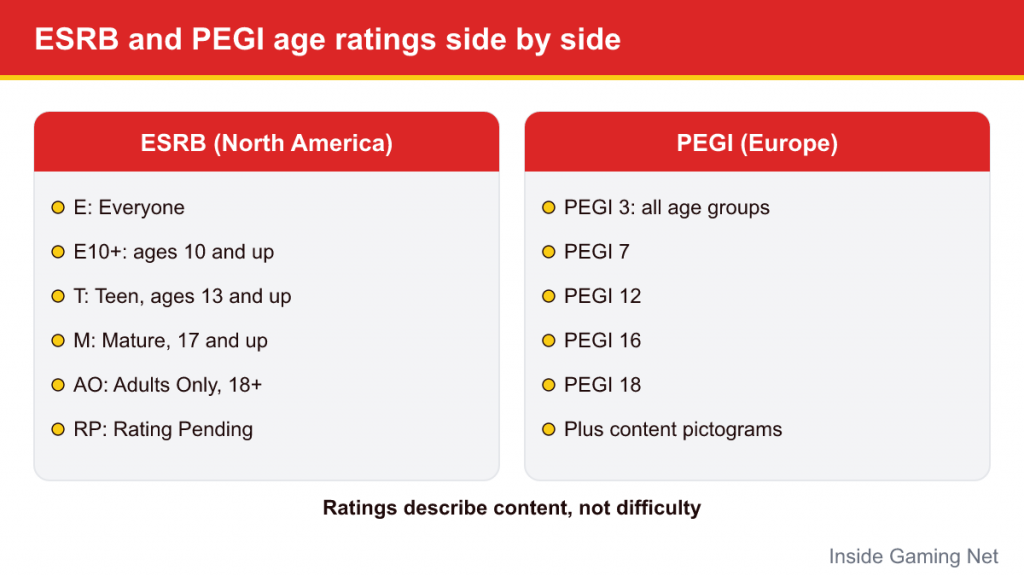
| Rating | Meaning |
|---|---|
| E (Everyone) | Generally suitable for all ages. May contain minimal cartoon, fantasy or mild violence and/or infrequent mild language. |
| E10+ (Everyone 10+) | Generally suitable for ages 10 and up. May contain more cartoon, fantasy or mild violence, mild language and/or minimal suggestive themes. |
| T (Teen) | Generally suitable for ages 13 and up. May contain violence, suggestive themes, crude humor, minimal blood, simulated gambling and/or infrequent strong language. |
| M (Mature 17+) | Generally suitable for ages 17 and up. May contain intense violence, blood and gore, sexual content and/or strong language. |
| AO (Adults Only 18+) | Suitable only for adults. May include prolonged intense violence, graphic sexual content and/or gambling with real currency. |
| RP (Rating Pending) | Not yet rated. Appears only in advertising before a final rating is assigned. |
ESRB content descriptors
Alongside the letter, the ESRB lists content descriptors, short phrases that explain what content may have triggered the rating or may interest parents. Examples include Fantasy Violence, Cartoon Violence, Comic Mischief, Mild Language, Blood, Crude Humor and Use of Alcohol. The word “Mild” signals low frequency, intensity or severity.
Descriptors are where much of the useful detail lives. Two E10+ games might have very different content: one might list only Fantasy Violence, while another adds Mild Language and Crude Humor. The ESRB also publishes a rating summary for each game on its website, describing specific scenes in plain language, which is often the most helpful resource for parents.
PEGI Age Labels
PEGI uses numbered age labels:
| Label | Meaning |
|---|---|
| PEGI 3 | Suitable for all age groups. Content should not frighten young children; only very mild, comical violence and no bad language. |
| PEGI 7 | May include scenes or sounds that could frighten younger children, and very mild, implied or non-realistic violence. |
| PEGI 12 | Somewhat more graphic violence toward fantasy characters or non-realistic violence toward human-like characters; mild bad language or sexual innuendo. |
| PEGI 16 | Violence or sexual activity that looks as it would in real life; stronger bad language; use of tobacco, alcohol or drugs may appear. |
| PEGI 18 | Gross violence, motiveless killing or violence toward defenseless characters; may include glamorized drug use, simulated gambling and explicit sexual activity. |
PEGI content descriptors
PEGI shows small pictograms on the back of the box and on store pages. They include Violence, Bad Language, Fear (or Horror at higher ratings), Gambling, Sex, Drugs, Discrimination and In-Game Purchases. Some descriptors are tied to specific ratings: Discrimination always results in PEGI 18, and since 2020, new games with simulated gambling are rated PEGI 18.
Interactive Elements and In-Game Purchases
Ratings were originally designed around what you see and hear in a game. Modern games also include online and commercial features, so both systems added notices for them.
ESRB interactive elements
The ESRB lists interactive elements separately from the rating, and they do not affect the rating category. They include:
- In-Game Purchases: offers to buy digital goods or premiums with real money, such as skins, bonus levels or in-game currency.
- In-Game Purchases (Includes Random Items): purchases where the buyer does not know exactly what they will receive, such as loot boxes.
- Users Interact: possible exposure to unfiltered user-generated content, including communications between players.
- Shares Location: the ability to show your location to other users.
- Unrestricted Internet: access to the open internet, such as through a browser.
PEGI’s 2026 changes
PEGI went further in 2026. Under expanded criteria announced in March 2026 and applied from June 2026, certain features now influence the age rating itself rather than only adding a notice. Reported changes include:
- Games that sell paid random items, such as loot boxes or card packs, default to at least PEGI 16, and may be rated PEGI 18 depending on how they are implemented.
- Time-limited or quantity-limited purchase offers lead to at least PEGI 12.
- Mechanics that reward daily returns lead to at least PEGI 7, and those that penalize players for not returning lead to at least PEGI 12.
- Games with NFTs or blockchain-based features, or with completely unrestricted communication lacking blocking and reporting tools, are rated PEGI 18.
In practice, this means a European rating issued under the new criteria can be higher than you would expect from the game’s visual content alone. When you see an unexpectedly high PEGI number on a cheerful-looking game, check the descriptors to find out why.
Where to Find Ratings on Switch and the eShop
- On the box: the rating appears on the front cover, usually in a corner, with descriptors on the back.
- On the eShop: each game’s page lists its rating, descriptors and interactive elements. Scroll down on a game’s page to find them.
- On rating websites: esrb.org and pegi.info both have searchable databases. The ESRB’s rating summaries are especially detailed.
- On the console: parental controls can block games above a chosen rating from launching, using the rating system for your region.
Examples From Nintendo Games
A few current examples show how ratings and descriptors work in practice, based on ESRB listings:
- Yoshi and the Mysterious Book (Switch 2, 2026) is rated E with Mild Fantasy Violence and no interactive elements. The ESRB summary notes that enemies may cause brief yelps of pain with no lasting harm.
- Kirby and the Forgotten Land is rated E10+ with Cartoon Violence, a reminder that a cute art style does not automatically mean an E rating.
- Donkey Kong Bananza is rated E10+ for Fantasy Violence and also lists In-Game Purchases.
- Metroid Prime 4: Beyond is rated T with Animated Blood and Violence.
Notice that “In-Game Purchases” can appear even on family-friendly Nintendo games, often for optional downloadable content. It does not necessarily mean the game pushes microtransactions, but it is worth knowing before you hand over the controller.
Common Misconceptions About Ratings
- “E means it is perfect for a preschooler.” E covers a very broad range. A game can be rated E and still be hard to play, text-heavy or include mild cartoon violence that some young children find upsetting.
- “The same game always has the same rating everywhere.” ESRB and PEGI apply different criteria, so ratings do not map neatly onto each other. An E10+ game in North America might be PEGI 7 in Europe, and since PEGI’s 2026 changes, purchase mechanics can push a European rating higher than its North American equivalent.
- “Ratings cover what other players say online.” They do not. Content created by other players, including chat, is outside the rating, which is exactly why “Users Interact” and similar notices exist.
- “A higher rating means a better game for older kids.” Ratings say nothing about quality. Many of the most acclaimed games on Switch are rated E.
- “DLC is covered by the original rating.” Generally the rating applies to the game as released, but large expansions can change the content you see. Read about any big add-on before buying it.
How to Use Ratings Wisely
- Treat the rating as a starting point. It is general guidance, not a verdict on your particular child.
- Read the descriptors and summaries. They tell you what kind of content is actually in the game.
- Watch some gameplay together. Official trailers or a short play session can show whether the tone suits your child.
- Consider online features separately. A game’s rating may not reflect what other players say or share online. Use parental controls for communication settings.
- Revisit as children grow. What is right for an eight-year-old changes by twelve.
If you have concerns about how a specific game affects your child’s mood or behavior, talking with a pediatrician or other qualified professional is a sensible step.
To put ratings into practice, see our Switch parental controls guide, which explains how to restrict games by age rating, and our Nintendo Switch Online guide for the online features that ratings do not cover.