Nintendo Switch 2 Explained: Hardware, Modes and What’s New
A plain-English guide to Nintendo Switch 2: the screen, play modes, Joy-Con 2, the C button and GameChat, storage and what the console is built to do.
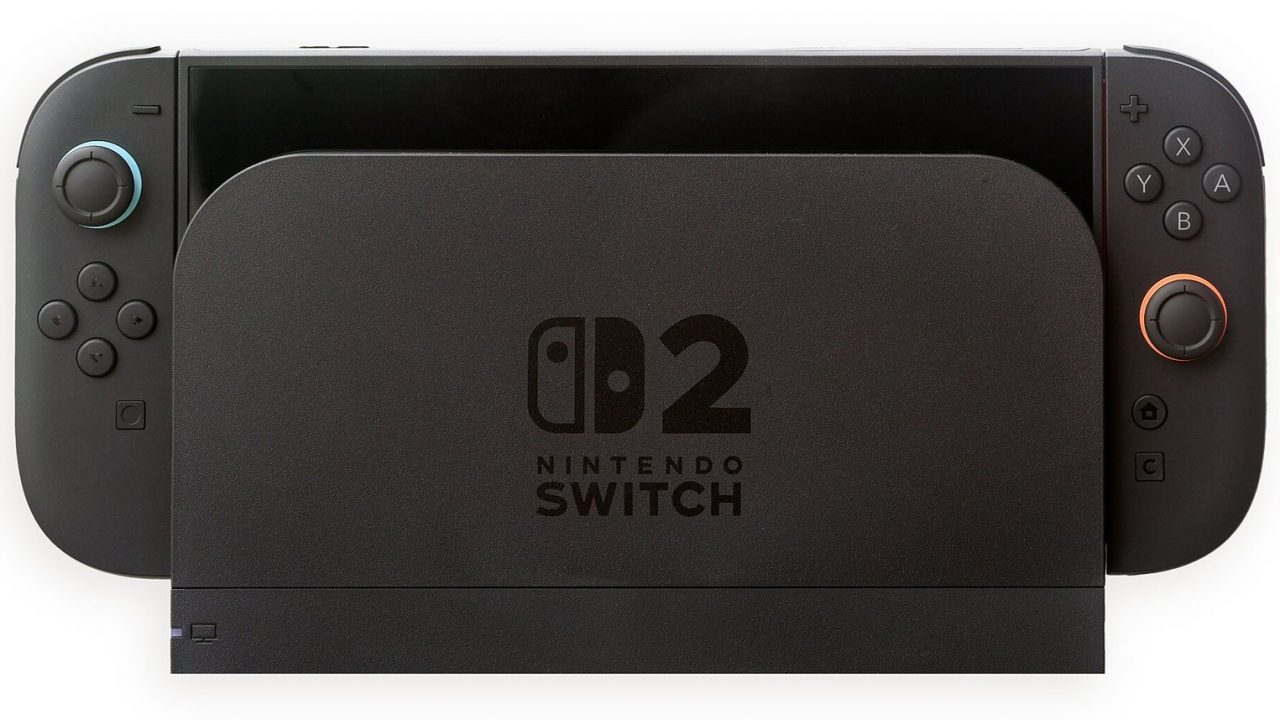
Nintendo Switch 2 launched worldwide on June 5, 2025, and it is the direct successor to the original Nintendo Switch from 2017. On the surface the idea is familiar: a tablet-like console you can carry around, slot into a dock to play on a TV, or stand on a table with the controllers detached. Underneath, almost every part has changed. This guide walks through what the system is, how its modes work, what the new controllers and buttons do, and how storage and game formats fit together, so you know exactly what you are looking at before you buy one or set one up for the family.
What the Switch 2 Is (and What It Is Not)
The Switch 2 is a hybrid console. That means it is a single device that works both as a handheld and as a home console. There is no separate “home” model and “portable” model in the way older Nintendo generations split the Wii and the DS. You buy one system and decide, moment to moment, how you want to play.
It is also a direct evolution rather than a reinvention. Nintendo kept the formula that made the first Switch one of the best-selling consoles in history and focused on three things: a bigger and sharper screen, much more processing power, and new social and control features built into the hardware. Most games from the original Switch also run on it, which we cover in more detail further down.
What it is not: a replacement for a gaming PC or a general-purpose tablet. There is no web browser for everyday use, no general app store, and the system is built around games, the Nintendo eShop, Nintendo Switch Online and a handful of Nintendo services.
The Three Ways to Play: Handheld, TV and Tabletop
Like its predecessor, the Switch 2 supports three play modes, and you can switch between them without closing your game.
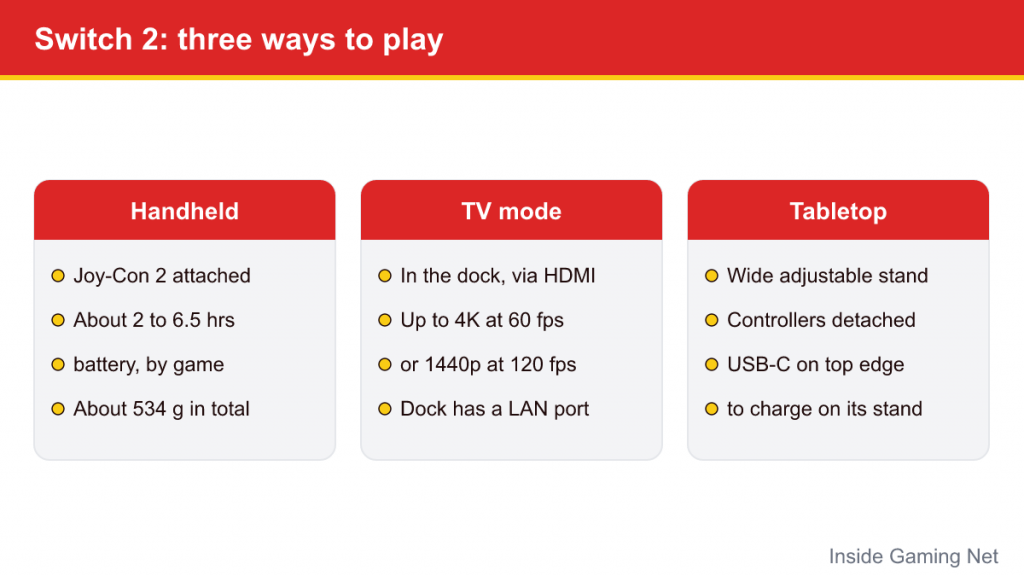
Handheld mode
With both Joy-Con 2 controllers attached to the sides, the console works like a large handheld. According to Nintendo’s published estimates, battery life ranges from roughly 2 to 6.5 hours depending on the game. Demanding 3D titles sit at the low end of that range, while lighter games last longer. The system weighs about 534 grams (18.8 oz) with the controllers attached, noticeably heavier than the original model, which matters for younger players and long sessions.
TV mode
Placing the console in the included dock sends the picture to your television over HDMI. In TV mode the system can output up to 4K at 60 frames per second, or up to 1440p at 120 frames per second, with HDR10 support in compatible games. Whether a given game actually uses 4K or 120 fps depends entirely on the developer. The dock also has a built-in cooling fan and an Ethernet port for a wired internet connection.
Tabletop mode
Flip out the rear kickstand, detach the controllers and you can play on a table, on a train tray or in any spot where holding the system is inconvenient. The kickstand on Switch 2 is a wide, adjustable stand rather than the thin flap on the launch-model Switch, and there is a second USB-C port on the top edge so you can charge the console while it stands.
Screen, Performance and Hardware Basics
The headline upgrade is the screen. The Switch 2 uses a 7.9-inch LCD with a resolution of 1920 x 1080 (1080p), support for HDR10 and a variable refresh rate of up to 120Hz. For comparison, the original Switch had a 6.2-inch 720p screen, and the Switch OLED had a 7-inch 720p OLED panel. In practical terms, text is crisper, small details in busy scenes are easier to read, and fast games can look smoother when they support higher frame rates.
Inside is a custom processor designed by Nvidia, paired with 12GB of memory. You do not need to understand the chip names to enjoy the system, but the extra power is why games such as Mario Kart World and Donkey Kong Bananza can do things that would have been out of reach on the original Switch, and why many older Switch games load faster or run more smoothly on the new hardware.
Here is a quick summary of the main specifications, as published by Nintendo and reported at launch:
| Feature | Nintendo Switch 2 |
|---|---|
| Launch date | June 5, 2025 |
| Screen | 7.9-inch LCD, 1080p, HDR10, up to 120Hz |
| TV output | Up to 4K at 60fps, or 1440p/1080p at up to 120fps |
| Internal storage | 256GB |
| Expandable storage | microSD Express cards (up to 2TB) |
| Battery life (estimate) | About 2 to 6.5 hours, depending on the game |
| Weight with Joy-Con 2 | About 534g |
| Ports | Two USB-C (bottom and top), headphone jack, game card slot |
Joy-Con 2 Controllers and the New C Button
The controllers are one of the most visible changes. The original Joy-Con slid onto rails on the side of the console. Joy-Con 2 attach magnetically instead: you press them against the side of the console until they click into place, and press a release button on the back of each controller to detach them. The controllers themselves are larger, which many adults will find more comfortable during long sessions.
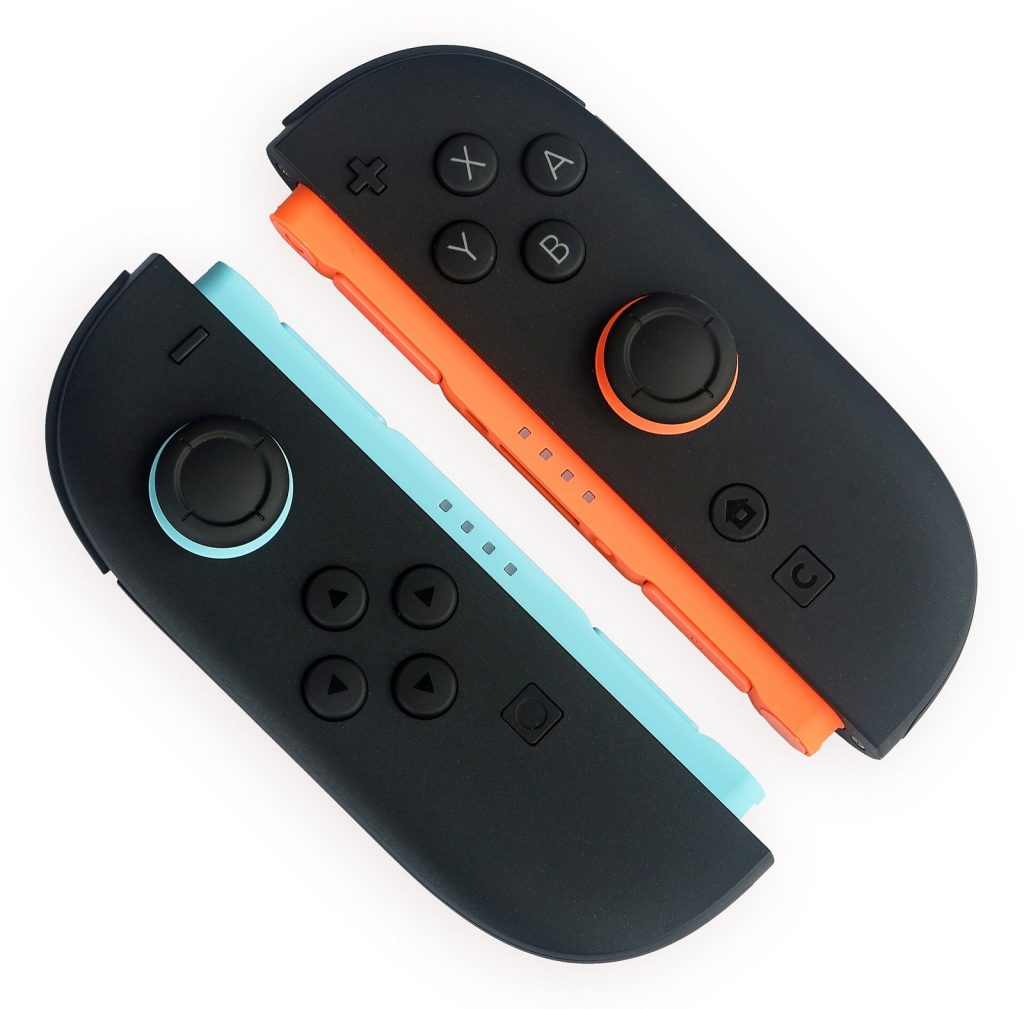
Each Joy-Con 2 can also work as a mouse. Turn a controller on its side, rest it on a flat surface such as a desk or even your leg, and slide it around; an optical sensor tracks movement the way a computer mouse does. Only games designed for it use this feature, but it opens up genres that traditionally needed a mouse, as well as new ideas Nintendo and other developers are experimenting with.
The right Joy-Con 2 adds a brand-new button marked C. Pressing it opens the GameChat menu, the system’s built-in communication feature. The original Joy-Con do not have a C button, and they cannot attach to the Switch 2 console, although they can still be used wirelessly with many games.
If you prefer a traditional controller, Nintendo also offers a Switch 2 Pro Controller, and the original Switch Pro Controller works with the new system too.
GameChat: Talking and Sharing While You Play
GameChat is the Switch 2’s built-in chat system. It lets players talk to friends by voice while playing, and the console has a built-in microphone with noise suppression, so a headset is optional. With a compatible USB-C camera (sold separately and plugged into the top port), players can add video, so friends see each other’s faces in small windows next to the game. Players can also share their screen so friends can watch what they are playing, and in some games use a feature called GameShare to let a friend play along even if they do not own the game.
Two practical points matter here. First, GameChat was free for an introductory period that ended on March 31, 2026; since then it requires a paid Nintendo Switch Online membership. Second, families get specific controls: children under 16 need a parent or guardian to approve GameChat use through the Nintendo Switch Parental Controls smartphone app, and children can only chat with friends the parent has approved. Video chat can be set to require approval for each session. Using these controls also requires a phone number registered on the parent’s Nintendo Account.
Storage and How Games Are Delivered
The Switch 2 has 256GB of internal storage, eight times the original Switch’s 32GB. That is generous for a Nintendo console, but large modern games add up quickly, so expansion is worth understanding.
Storage expansion uses microSD Express cards, a newer and faster type of card. This is an important detail: the ordinary microSD cards used in the original Switch can still be inserted, but on Switch 2 they can only be used to store screenshots and videos. To install and play games from a card, it has to be a microSD Express card, so look for the microSD Express logo on the packaging.
Games arrive in several forms:
- Game cards with the full game on them, which work like traditional cartridges.
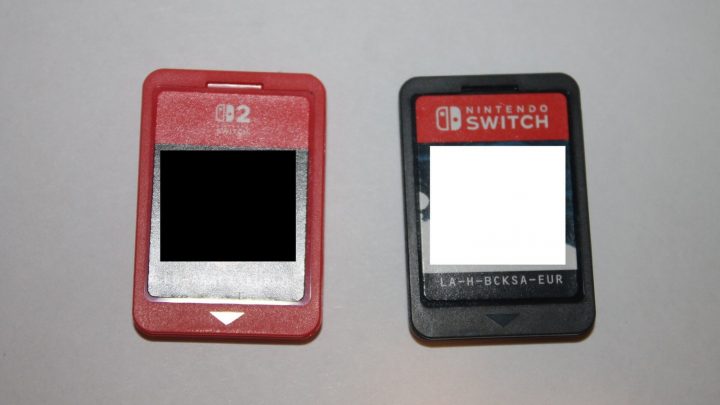
- Game-Key Cards, physical cards that carry a license rather than the full game. When you insert one, the game downloads to your system, and the card must stay inserted while you play.
- Digital purchases from the Nintendo eShop, managed through a system called Virtual Game Cards, which also makes it possible to lend games between systems in a family group.
Because Game-Key Cards need an internet connection for the initial download, it is worth checking the box before buying if you plan to play somewhere with poor connectivity.
Playing Original Switch Games on Switch 2
Most Nintendo Switch games, both physical and digital, work on the Switch 2. Your original Switch game cards fit in the same slot, and digital games tied to your Nintendo Account can be redownloaded. Nintendo publishes compatibility information for individual games, and a small number have issues or need the original controllers, typically because they rely on features of the first Joy-Con such as the infrared camera. Nintendo Labo’s VR Kit is a notable example of a game that is not compatible.
Some older games also received improvements on the new hardware. These come in two flavors: free updates that improve resolution, frame rate or add HDR, and paid Nintendo Switch 2 Edition versions that add new content alongside technical upgrades. Super Mario Odyssey, for example, received a free update that improves visuals and adds HDR, while Kirby and the Forgotten Land received a Switch 2 Edition with a new story chapter called Star-Crossed World.
If you are moving from an original Switch, Nintendo also provides a system transfer process that copies user profiles, save data and settings to the new console.
Who the Switch 2 Is Designed For
Nintendo builds its hardware around its own games first, and the Switch 2 is no exception. It is the place to play new entries in Mario, Zelda, Pokémon, Kirby, Donkey Kong and Metroid, alongside a large library of third-party games carried over from the original Switch and new releases built for the stronger hardware.
It suits several kinds of players particularly well:
- Families, because of the strong parental controls, the large library of games rated for younger players and the ability to play together on one system.
- Commuters and travelers, who get a full console experience in handheld mode.
- Existing Switch owners, who keep most of their library and often get better performance on the games they already own.
- Nintendo fans, since new first-party releases are increasingly made for Switch 2 only.
It is less ideal for anyone who mainly wants the most demanding blockbuster games at the highest graphical settings, which remain the territory of other consoles and gaming PCs.
Common Questions
Can I use my old Joy-Con?
Original Joy-Con can be paired wirelessly and used with many games, but they cannot physically attach to the Switch 2, and they lack the C button and mouse function.
Do I need Nintendo Switch Online?
Not to play single-player games. You need it for most online multiplayer, cloud save backups, the classic game libraries and, since April 2026, for GameChat.
Is the screen OLED?
No. The Switch 2 uses an LCD panel, but it is larger and higher resolution than any original Switch model, and it supports HDR.